Best Browser Extensions to Save Money Online in 2026
Quick Summary
Online shopping has never been more convenient, but it has also become easier than ever to overspend.
Fortunately, several browser extensions can help you automatically find discount codes, earn cashback, compare prices, and track deals without any extra effort.
In this guide, we compare the best browser extensions for saving money online in 2026, helping UK shoppers keep more cash in their pockets while still enjoying the convenience of online shopping.
Our Top Picks
🥇 Best Overall: Honey
🥈 Best Cashback Extension: TopCashback
🥉 Best UK Cashback Platform: Quidco
🏆 Best Price Comparison Tool: InvisibleHand
💰 Best for Price Alerts: Capital One Shopping
Why Trust BestoSave?
At BestoSave, we focus on helping consumers spend less and shop smarter.
For this guide, we evaluated browser extensions based on:
- Savings potential
- Ease of use
- Cashback opportunities
- Retailer coverage
- User reviews
- Security and privacy
- Overall value
Rather than recommending every extension available, we selected tools that provide genuine benefits for everyday online shoppers.
Why Browser Extensions Can Save You Money
Most people don’t realise how much money they leave on the table when shopping online.
Without browser extensions, you may:
- Miss valid coupon codes
- Pay higher prices than necessary
- Forget cashback opportunities
- Miss limited-time sales
- Fail to compare prices across retailers
Modern money-saving extensions automate much of this process.
Instead of manually searching for discount codes, the software does the work for you.
How We Chose the Best Money-Saving Extensions
Not every browser extension deserves a place in your browser.
To create this guide, we focused on several important criteria.
Real Savings
We prioritised extensions that consistently help users save money.
Ease of Use
The best extensions work automatically without requiring constant attention.
Security
Only well-established and reputable extensions were included.
Retailer Coverage
A money-saving extension is only useful if it works with the stores you actually use.
Best Browser Extensions to Save Money Online
1. Honey
Best Overall Browser Extension
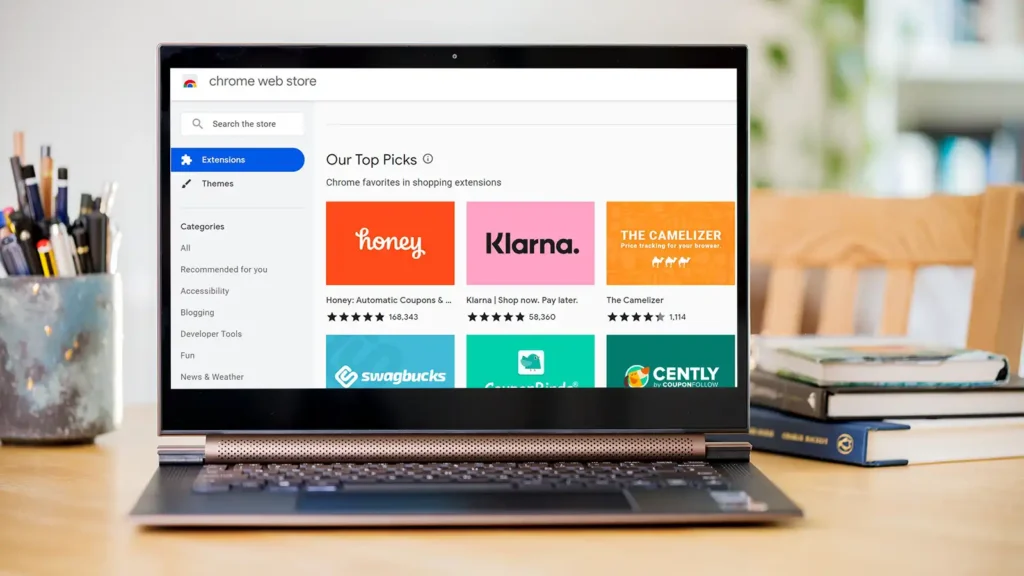
Honey remains one of the most popular shopping extensions worldwide.
When you reach checkout, Honey automatically tests available coupon codes and applies the best one.
Key Features
- Automatic coupon code testing
- Price tracking
- Rewards programme
- Mobile app support
Pros
✅ Easy to use
✅ Large retailer network
✅ Automatic discount application
Cons
❌ Coupon success varies by retailer
Best For
Everyday online shoppers.
2. TopCashback
Best Cashback Extension
TopCashback is one of the UK’s largest cashback platforms.
Instead of saving money through coupons, it rewards users with cashback after purchases.
Key Features
- Cashback from thousands of retailers
- Automatic activation
- Price comparison tools
- No minimum payout requirement
Pros
✅ Excellent cashback rates
✅ Large retailer network
✅ Easy to use
Cons
❌ Cashback payments can take time
Best For
Regular online shoppers.
3. Quidco
Best UK Cashback Platform
Quidco remains one of the most trusted cashback websites in the UK.
In addition to cashback, users gain access to exclusive offers and discounts.
Pros
✅ Trusted UK brand
✅ Exclusive promotions
✅ Strong retailer coverage
Cons
❌ Some cashback rates are lower than competitors
Best For
UK consumers looking for cashback opportunities.
4. InvisibleHand
Best Price Comparison Extension
InvisibleHand focuses on one thing: finding lower prices.
When viewing products online, it automatically checks competing retailers to see whether a cheaper option is available.
Pros
✅ Simple to use
✅ Excellent for large purchases
Cons
❌ Limited additional features
Best For
Price-conscious shoppers.
5. Capital One Shopping
Best for Price Tracking
Capital One Shopping helps users track products and receive notifications when prices fall.
Pros
✅ Price history tracking
✅ Deal alerts
✅ Automatic comparisons
Cons
❌ Coverage varies by retailer
Best For
People willing to wait for the best deal.
Comparison Table
| Extension | Main Benefit | Best For |
|---|---|---|
| Honey | Coupon Codes | Everyday shopping |
| TopCashback | Cashback | Frequent shoppers |
| Quidco | Cashback & Offers | UK users |
| InvisibleHand | Price Comparison | Bargain hunters |
| Capital One Shopping | Price Tracking | Long-term savings |
How to Maximise Your Savings
Many shoppers install extensions but never use them properly.
Combine Cashback and Coupons
Where possible, use both cashback and discount codes together.
Enable Notifications
Price alerts can help you buy at the right time.
Compare Before Purchasing
Large purchases often have significant price differences between retailers.
Shop During Major Sales
Combine browser extensions with events such as:
- Black Friday
- Prime Day
- January Sales
- Back-to-School Promotions
This can dramatically increase savings.
Are Browser Extensions Safe?
Most well-known browser extensions are perfectly safe.
However, you should:
- Download only from official browser stores
- Check user reviews
- Review requested permissions
- Avoid unknown extensions
Extensions from trusted companies generally provide a secure experience.
Frequently Asked Questions
Are money-saving browser extensions free?
Yes. Most popular extensions are completely free to install and use.
Can I use multiple extensions together?
Yes, although cashback extensions may sometimes compete for tracking credit.
Which extension saves the most money?
This depends on your shopping habits. Cashback extensions often provide the highest long-term savings.
Do browser extensions work on mobile devices?
Some extensions offer mobile apps, though functionality varies.
Are cashback websites worth using?
For regular online shoppers, cashback websites can easily save hundreds of pounds per year.
Final Verdict
Money-saving browser extensions are one of the easiest ways to reduce your online shopping costs.
For most users, Honey remains the best overall option thanks to its automatic coupon-finding capabilities. Cashback enthusiasts should consider TopCashback and Quidco, while bargain hunters may benefit from price-comparison tools such as InvisibleHand.
The best strategy is often to combine several tools together. A few minutes spent installing these extensions can potentially save hundreds of pounds throughout the year.
If you regularly shop online, there is little reason not to take advantage of these free tools and keep more money in your pocket.